Meta Tag Generator: Create SEO-Optimized Meta Tags Free
Learn what meta tags are, why they matter for SEO, and how to create optimized title tags, meta descriptions, and Open Graph tags for better rankings and CTR.
Meta tags are snippets of HTML code that describe your page to search engines and social media platforms — and while Google no longer uses most of them as direct ranking signals, they remain critical for SEO. Here's why: a compelling meta description can increase your click-through rate by 15-30%, and a well-crafted title tag is still the strongest on-page relevance signal you control. This guide covers what meta tags actually do, which ones matter, and how to create them for maximum impact on rankings and traffic.
What Are Meta Tags?
Meta tags are HTML elements in your page's <head> section that provide information about the page to browsers and search engines. They don't appear on the page itself — only in the code. The most important ones for SEO are the title tag, meta description, Open Graph tags (for social sharing), Twitter Card tags, and the robots meta tag (which controls indexability). Most other meta tags (keywords, author, etc.) have been ignored by Google for years, but title and description remain essential.
Title Tag: Still the Strongest On-Page Signal
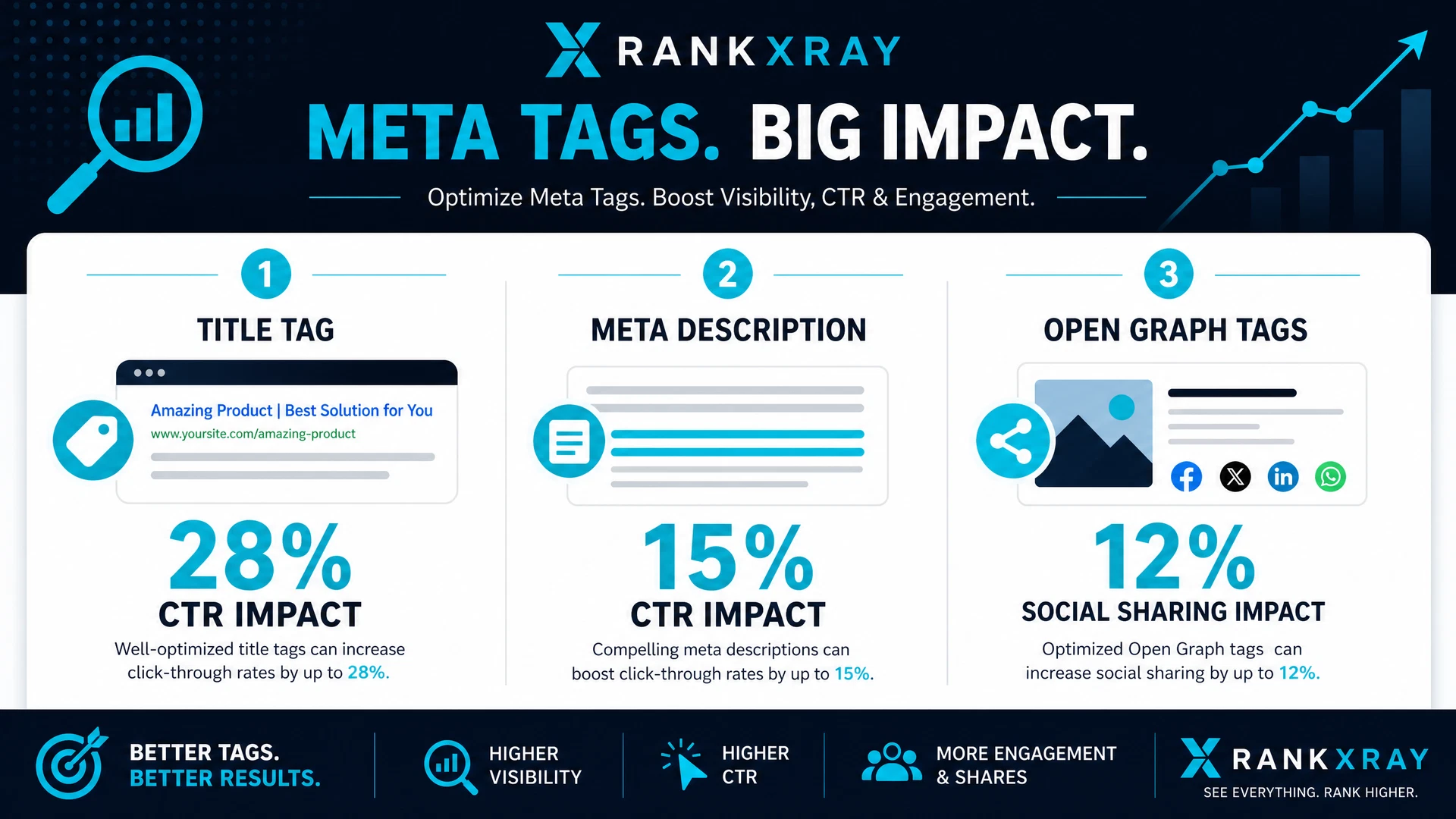
The title tag is the clickable headline that appears in search results, and it remains the single strongest on-page relevance signal you control. Google uses it to understand what your page is about, and searchers use it to decide whether to click. Keep it under 60 characters (so it doesn't get truncated in results), lead with your primary keyword, and make it compelling. A title like "Meta Tag Generator: Create SEO-Optimized Meta Tags Free" tells both Google and searchers exactly what to expect.
Meta Description: The CTR Multiplier
Google confirmed that the meta description is not a direct ranking signal, but it's arguably more important than that — it's a CTR signal. A well-written description can increase clicks by 15-30% compared to a generic one, and more clicks signal to Google that your page is relevant. Keep it under 160 characters, include your primary keyword naturally, and give people a reason to click. The description should answer the question the searcher asked, not just repeat the title.
Open Graph Tags: Social Sharing Impact
Open Graph (OG) tags control how your page appears when shared on Facebook, LinkedIn, and other platforms. They include og:title, og:description, og:image, and og:url. A compelling OG image and description can increase social shares by 20-40%, and social traffic is a ranking signal. If you don't set OG tags, platforms will use your title and a random image — which rarely converts. For any page you want shared, set these explicitly.
Twitter Card Tags: X/Twitter Optimization
Twitter Card tags work similarly to Open Graph tags but are specific to X (formerly Twitter). They include twitter:card, twitter:title, twitter:description, and twitter:image. If you're targeting Twitter traffic, these matter. Without them, your tweets look generic; with them, they stand out with a custom image and description.
Robots Meta Tag: The Gatekeeper
The robots meta tag tells search engines whether to index the page (index/noindex), follow links (follow/nofollow), and other crawl directives. A single stray noindex value — often left over from a staging site — can silently remove a page from Google entirely. This is one of the most common critical failures we see. Always verify your robots meta tag is set correctly, especially after migrations or site updates.
Check your meta tags in seconds.
RankXray audits your title, description, Open Graph tags, and robots meta tag — free, no signup.
Run My Free Audit →How to Create Optimized Meta Tags
For title tags: lead with your keyword, keep it under 60 characters, make it compelling. For meta descriptions: include your keyword naturally, keep it under 160 characters, answer the searcher's question. For Open Graph tags: use a high-quality image (1200x630px), write a compelling description, and set the URL explicitly. For robots meta tag: use index, follow unless you have a specific reason not to.
Common Meta Tag Mistakes
Duplicate titles and descriptions across pages (they compete for the same query). Meta descriptions that are too long or too generic. Missing Open Graph tags on content you want shared. Leaving a noindex tag on production pages by accident. Not updating meta tags after changing page topics. All of these are fixable in minutes and can meaningfully improve your traffic.
Audit Your Meta Tags Now
You don't need to manually check every page — paste any URL into RankXray and see your meta tags graded instantly. Our free tool checks title length, description quality, Open Graph presence, robots meta tag, and more. Fix what it finds, re-run the audit, and watch your CTR climb. X-Ray Any Website. Dominate Every Rank.
Stop guessing if your meta tags are optimized.
One free scan checks every tag on your site — instantly.
X-Ray My Website Free →